
Outdoor lights with camera and motion sensor – light that guards your home
Not so long ago, outdoor lighting and home surveillance were two separate installations: a lamp on the facade and a camera on a bracket, each with its own cable. Today you can buy them in a single housing. An outdoor light with a camera and motion sensor switches on the light when someone enters your property, records the event and sends a notification to your phone. We explain how these hybrids work, how a wall light with a camera differs from a floodlight or a solar-panel camera, where to mount them, what the privacy rules look like, and which parameters to check so you don’t mute the notifications in frustration after a month.
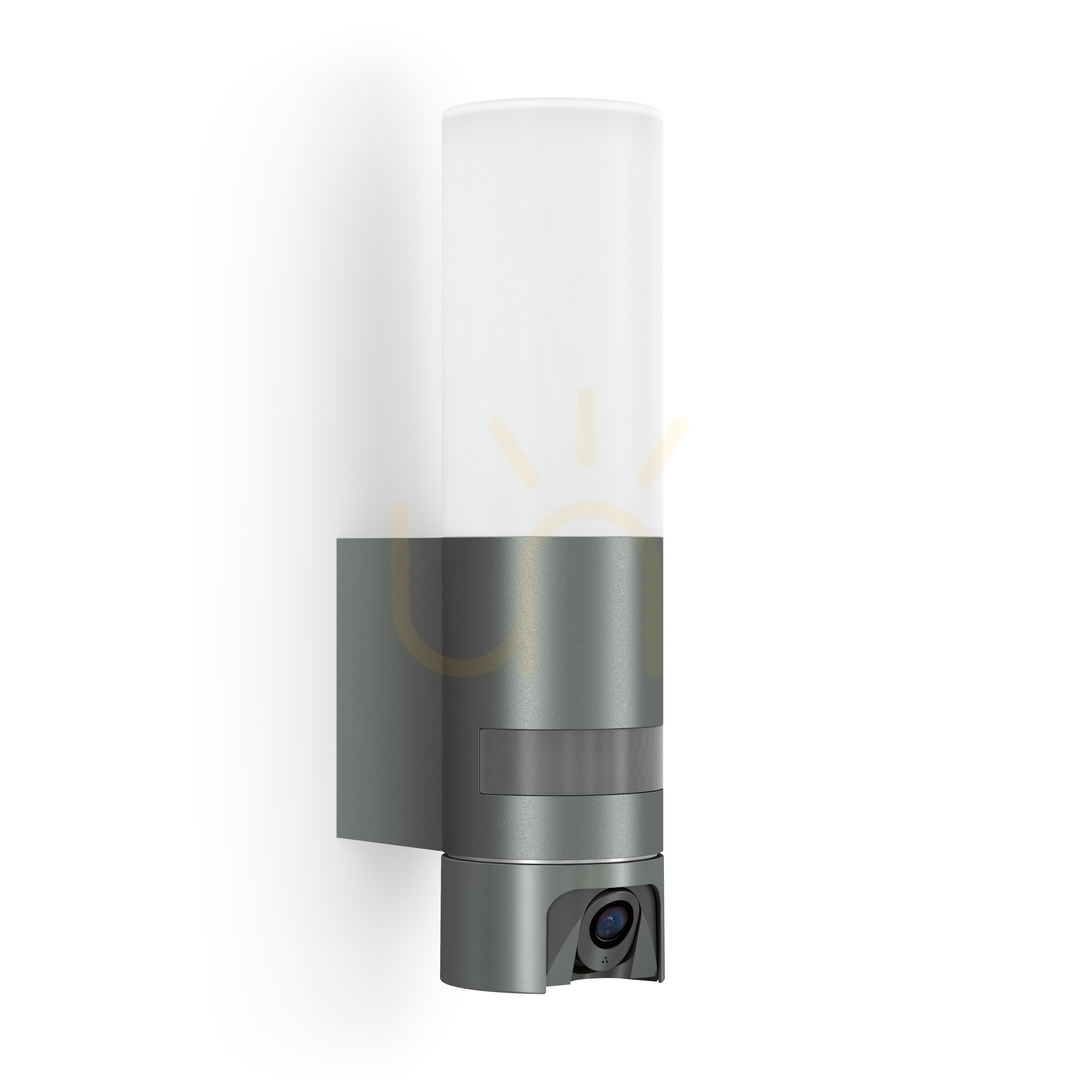
Table of contents
- How does a light with a camera and motion sensor work?
- A light with a camera, or a separate light and camera?
- Wall light, floodlight or solar camera – which to choose?
- Notifications and smart home integration
- Where to mount a light with a camera?
- Power: mains, solar or battery
- Privacy and the law – what are you allowed to record?
- The parameters that really matter
- Light alone keeps watch too
- Camera in an outdoor light – frequently asked questions
- Summary
How does a light with a camera and motion sensor work?
A light with built-in monitoring combines three devices in one housing, working together faster than separate units would:
- a motion sensor (usually PIR) – detects a moving heat source, typically within 5–12 m and an angle of 120–180°,
- an LED luminaire – switches on a fraction of a second after motion is detected,
- a Wi-Fi camera – starts recording and sends a push notification to the app on your phone.
The order matters. The light coming on acts as a deterrent while also illuminating the scene for the camera – instead of grainy black-and-white infrared footage, you have a much better chance of clear, colour video in which a silhouette, clothing or the colour of a car can be recognised. At night, before the light switches on, infrared (IR) LEDs sustain the image, and pricier models offer colour night vision.
Most lights with a camera also offer two-way audio – a built-in microphone and speaker let you talk to the courier or address an uninvited guest straight from the app, even while you’re on holiday. Some models additionally have a sound alarm triggered manually or automatically.
A light with a camera, or a separate light and camera?
A 2-in-1 device doesn’t always beat the classic setup. An honest comparison looks like this:
In favour of a light with a camera:
- a single power point – you use the existing junction box left by an ordinary wall light, with no chasing walls for a second cable,
- aesthetics – a single device hangs on the facade and looks like a modern wall light, not a surveillance post,
- shared logic – the light, the recording and the notification are triggered by the same sensor, so everything happens at once,
- lower total cost – one device usually costs less than a decent light plus a decent camera plus an electrician’s labour.
In favour of separate devices:
- independent positioning – the best spot for the light (high up, wide coverage of the area) is not always the best spot for the camera (framing the gate),
- easier replacement – when you want a better camera in five years, you don’t replace the whole light,
- specialisation – dedicated cameras offer features hybrids usually lack (optical zoom, PTZ rotation, continuous 24/7 recording).
In practice: by the entrance, above the garage and on the terrace, a light with a camera is more convenient. If you’re building full property surveillance with a recorder – treat it as a complement, not a replacement.
Wall light, floodlight or solar camera – which to choose?
You’ll come across three main forms of “light that keeps watch” on the market:
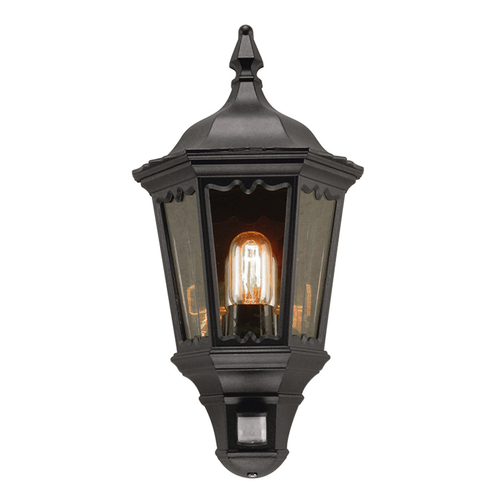
A wall light with a camera and motion sensor – looks like an elegant facade luminaire, and that’s its greatest strength: guests see a lamp, not a camera. A model such as Steinel L 625 CAM combines a warm-white LED luminaire with a Full HD camera, a PIR sensor and an intercom. It’s the natural choice for the entrance zone: door, gate, porch. You’ll find more facade luminaires in the Outdoor Wall Lights category.
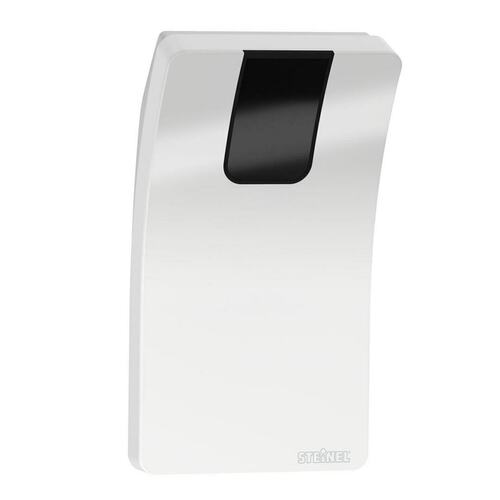
A floodlight (projector) with a camera – the so-called floodlight cam. A much bigger luminous flux (several hundred to a few thousand lumens) and wider light distribution – it will light up a driveway, a yard or the area in front of a garage. Usually a cooler colour temperature and a less discreet look, but it’s hard to miss, which is a deterrent in itself. You’ll find similar luminaires in the Outdoor floodlights category.
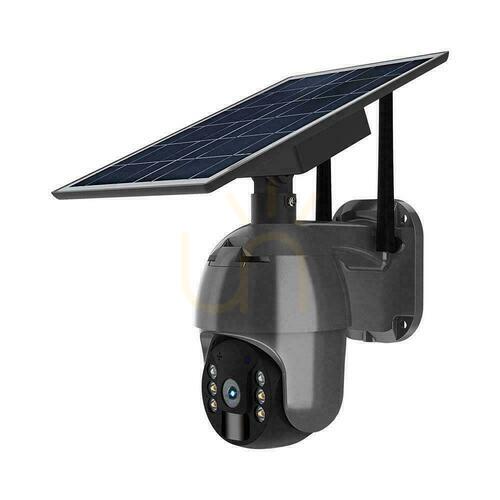
A camera with a solar panel and floodlight – a camera with its own photovoltaic panel and battery, often rotating (PTZ), with a small LED floodlight. You mount it where there’s no cable: a gazebo, an entrance gate, the garden. The compromise: the light is weaker than a mains-powered lamp and serves to illuminate the frame rather than the area.




Notifications and smart home integration
A camera in an outdoor light is only as good as the app that controls it. Check three things before buying:
- The ecosystem – most lights with a camera work with popular apps (Tuya Smart / Smart Life, manufacturer apps such as Steinel or V-TAC). If you already have smart bulbs or plugs at home, choose a light from the same ecosystem – you’ll build automations in a single app.
- The type of notifications – a good device lets you set detection zones (e.g. only the gate, without the pavement) and person detection, so your phone doesn’t buzz for every cat and branch in the wind. This is the feature that decides whether you’ll still be reading the alerts a month later.
- Automations – motion detected by the light can trigger scenes: switch on the wall lights along the driveway, turn on the hall light, send an alert to your watch. And the other way round: a “holiday” mode can simulate someone being at home.
- Account security – a light with a camera is a network device, so the rules of any IP camera apply: a unique, strong password, two-factor authentication, firmware and app updates, and care when sharing access. Cheap devices with no manufacturer support and an unclear cloud policy are best left on the shelf – the saving isn’t worth letting strangers watch your own home.
Hubs, bulbs and controllers from the Smart home lamps category will come in handy for expanding such a system.


Where to mount a light with a camera?
A good mounting spot has to reconcile the requirements of the light, the sensor and the lens:
- A height of 2.5–3 m – high enough that the device can’t easily be reached by hand, and low enough for the camera to record faces rather than the tops of heads. A standard wall light with a sensor hangs slightly lower (2–2.5 m).
- A PIR sensor detects motion best across its field of view – mount the light so the path to the door crosses the detection zone rather than leading straight at the sensor.
- The camera frame should cover the “decision points”: the gate, the door, the garage door. Avoid pointing the lens at the street or your neighbour’s property – we explain why below.
- Avoid sources of false alarms – for a PIR sensor the problem is heat sources: the exit from a busy road, a chimney, an air-conditioning unit, reflected sunlight. For detection in the camera image – branches moving in the wind, rain, insects and the lights of passing cars. A cobweb on the lens can “glow” in infrared at night and trigger recordings, so wipe the lens from time to time.
- A roof overhang helps – even a well-sealed luminaire will keep a clean diffuser and lens longer under the eaves than on an open wall lashed by rain.
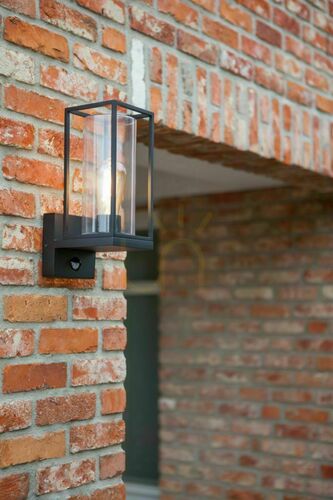
Typical mounting points: above the front door (couriers, guests), above the garage door (the car in the driveway), by the gate (the first line of the property) and above the terrace entrance from the garden – rear and side entrances tend to be particularly vulnerable because they’re less visible from the street.
Power: mains, solar or battery
- 230 V mains power – the most reliable option for a light with a camera. The camera and Wi-Fi run continuously, so the power draw is constant (usually a few watts on standby plus the LED wattage when the light is on). You can use the junction box left by your previous wall light; just remember the lamp needs a permanent power supply – it can’t hang on a circuit controlled by a light switch, or you’ll switch off the surveillance together with the light. The installation means working on 230 V wiring: switch off the breaker, test the wires with a voltage tester, and if you’re not experienced, leave it to an electrician – swapping an ordinary wall light for a camera model is a few minutes’ work for a professional.
- Solar with a battery – complete mounting freedom, zero cables. The camera works in standby mode and wakes on motion detection, so the battery lasts for weeks. Limitations: weaker light, and in winter – shorter days and frost, which reduces cell capacity. The panel has to face south and be cleaned regularly.
- Battery-only, without a panel – rarer in the version with a light; they need charging every few weeks or months, so treat them as a temporary solution or for places where taking the device down isn’t a problem.
Whatever the power source, check the Wi-Fi signal at the mounting spot before you screw the light on: a brick or reinforced-concrete wall can cut off the signal, and a camera without a network is just a light with a sensor. A signal repeater or an access point in the garage is often the fix.
Privacy and the law – what are you allowed to record?
Surveillance of your own private property is legal, but it has limits worth knowing before you choose the mounting spot:
- Record your own property – the camera should cover your own grounds: driveway, entrance, garden. Framing your neighbour’s property or the windows of their house infringes their privacy and can end in a civil case.
- Public space only incidentally – if a fragment of pavement or street inevitably ends up in the frame, keep it to a minimum. Recording only your own property for personal use benefits from the so-called household exemption and doesn’t fall under the GDPR; systematically recording public space may already fall under it.
- Use privacy zones – most apps let you mask part of the frame (a black rectangle over the neighbour’s window or the pavement). It’s the simplest way to have a wide viewing angle and a clear conscience.
- Inform about the surveillance – with a camera pointed solely at your own private property, a “premises under surveillance” sign usually isn’t strictly required by law, but it’s good practice and reinforces the deterrent effect. When the camera covers shared or public space, an information obligation may already apply.
- Be more careful with audio than video – recording the conversations of third parties is judged more strictly than the image itself in many countries. The safest approach is to disable continuous audio recording by default and use the intercom only for conversations you take part in yourself.
- Don’t store recordings longer than necessary – a few to a dozen or so days is entirely sufficient; overwrite older recordings automatically.
These rules apply to private use – surveillance of a business, a housing association or an apartment block is governed by separate, more formal regulations.
The parameters that really matter
The product sheet of a light with a camera can be overwhelming. Here’s what actually translates into everyday use:
- Camera resolution – Full HD (1080p) is a sensible minimum; 2K increases the chance of reading a number plate from a greater distance, though at night the camera angle, distance and exposure matter too (plates reflect light and are easily overexposed). More pixels also means bigger files and slower previews on weak Wi-Fi.
- Lens viewing angle – 110–140° will cover the entrance and driveway; above 160°, distortions appear at the edges of the frame.
- Night vision – IR (black and white) is standard; colour night vision requires a brighter sensor or… precisely the light from the lamp – and here the hybrid has a natural advantage.
- Recording storage – a microSD card in the device (a one-off cost, but the card can be stolen together with the light), the cloud (a subscription, recordings safe) or a local recorder. Best when the device gives you the choice.
- Detection – zones, sensitivity, human silhouette recognition. Without these, the notifications will quickly end up muted.
- Light parameters – luminous flux in lumens (a wall light by the entrance: 500–1000 lm; a floodlight over the driveway: 1500–3000 lm), colour temperature (3000 K looks natural in the entrance zone; 4000–6000 K gives a “technical” character and better contrast for the camera) and the option to adjust how long the light stays on after motion is detected.
- Housing protection rating – IP44 is enough under the eaves, IP54–IP65 on an exposed wall. Also pay attention to impact resistance (IK) when mounting within arm’s reach.
- Operating temperature – the camera has to work both in a heatwave and at –20°C; check the declared range, especially for battery models.
Light alone keeps watch too
The camera is the strongest guard, but not the only one. Research on burglary prevention has shown the same relationship for years: burglars pick houses where they feel invisible. A light snapping on takes that comfort away instantly – which is why an ordinary light with a motion sensor by every entrance and dark corner of the house is one of the cheapest investments in security you can make.
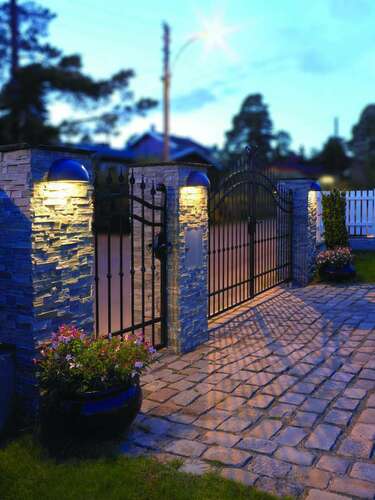
Well-planned property lighting combines both worlds: a light with a camera guards the entrance and driveway, while cheaper wall lights and floodlights with a sensor close off the remaining zones – the garden gate, the gable wall, the utility door. You’ll find separate sensors for upgrading existing luminaires in the Motion Sensors category, and we write more about how light raises the security (and beauty) of the whole property in our post on lighting that protects and delights.





Camera in an outdoor light – frequently asked questions
Does a light with a camera record all the time? Usually not – recording starts when motion is detected and lasts from several seconds to a few minutes. Continuous 24/7 recording is more the domain of systems with a recorder; in lights with a microSD card it would shorten the card’s life and fill it up in a few days.
Does a light with a camera work without the internet? The light and the motion sensor work independently of the network. Without Wi-Fi, however, you lose remote preview, notifications and usually access to cloud recordings – recording to a microSD card keeps working in many models.
Do I need a subscription? Only for cloud storage. Models with a microSD card or a local recorder require no recurring fees – check before buying which storage options the device supports.
How high should a light with a motion sensor and camera be mounted? Optimally 2.5–3 m: out of comfortable arm’s reach, but low enough for the camera to record faces and for the sensor to reliably detect movement at the entrance.
Can the camera in an outdoor light record the street? The frame should cover your own property. Limit any fragment of pavement or street that gets caught incidentally using privacy zones in the app – systematically recording public space may fall under the GDPR, and framing your neighbour’s property infringes their privacy.
Summary
An outdoor light with a camera and motion sensor is one of those smart home products that solve a real problem: it combines deterrent light, a recording of the event and a phone notification in a single device on a single junction box. Choose a wall light with a camera for the entrance zone, a floodlight for the driveway and yard, and a solar camera where there’s no cable. Mount it at 2.5–3 m, point the frame at your own property, set up detection zones and make sure of a permanent power supply and Wi-Fi coverage. Close off the rest of the house with ordinary motion-sensor lights – because the most effective surveillance is the kind an intruder doesn’t want to test in the first place.
Maciej Hudaszek


Maybe you will be interested in products from these categories?
Outdoor Wall Lights, Outdoor Spot Lights, Smart Home
Tags & Blog Categories