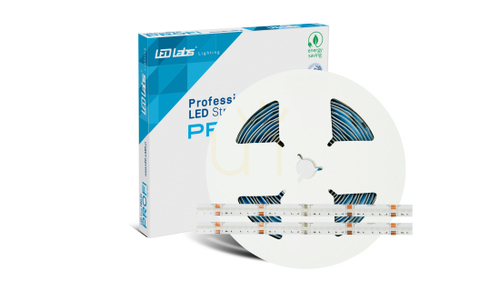
The best gaming lights work as a set: a dimmable main light, a soft glow behind the screen and a few splashes of colour on the walls or furniture. Colour gives a setup its character, but where the light comes from and how bright it is decides whether your eyes still feel fine at midnight.
A gaming room asks more of its lamps than a lounge or a bedroom does. A bright monitor sits a metre from your face, sessions run late, and any fitting that shows up as a reflection in the screen gets annoying within minutes. Switching off the ceiling light and relying on one LED strip leaves you staring at a glowing rectangle in a dark room, which is tiring rather than atmospheric.
What is the best type of light for a gaming setup?
Think in layers rather than single products. Most good setups combine:
-
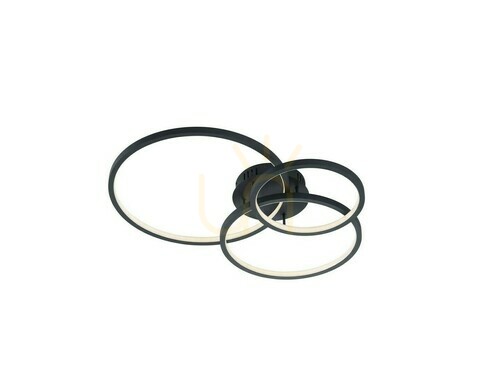
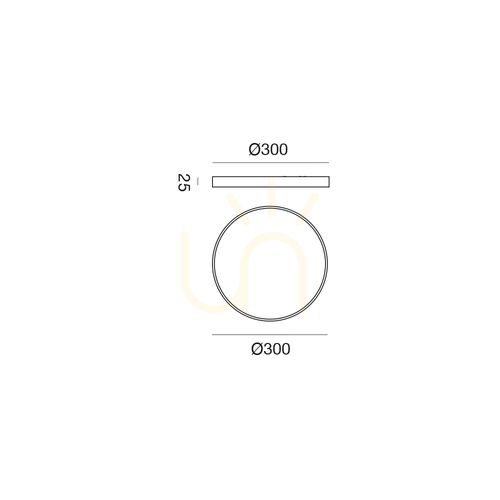
a main light – a flush ceiling light or LED panel, ideally dimmable and with adjustable white, for tidying up, homework and finding the controller you dropped;
-
bias lighting – a low, neutral glow on the wall behind the monitor or TV that softens the contrast between screen and room;
-
task light – a shaded desk or clip-on lamp for the keyboard and notes;
-
accent light – strips behind shelves, light bars, wall panels, corner floor lamps or a neon-style sign.
Small box rooms and bedrooms rarely have space for all four, and they do not need it. A ceiling light with a colour mode plus a USB strip behind the monitor already covers the basics.
Typical values to look for
| Job |
Usual choice |
Typical figures |
| Room light |
dimmable ceiling fitting with adjustable white |
2700–4000 K |
| Bias light behind a monitor |
short LED strip powered from a USB port |
5 V, neutral white around 6500 K |
| Bias light behind a TV |
strip around the back edge, on a dimmer |
roughly 10% of the screen’s peak brightness |
| Wall or shelf glow |
strip in an aluminium channel with an opal cover |
300–500 lm per metre for indirect light |
| Long runs along a wall |
24 V strip with its own power supply |
worth it beyond about 5 m |
| Face light for streaming |
soft panel to one side, above eye level |
4500–5500 K at about 45° |
Why are gamers so obsessed with RGB?
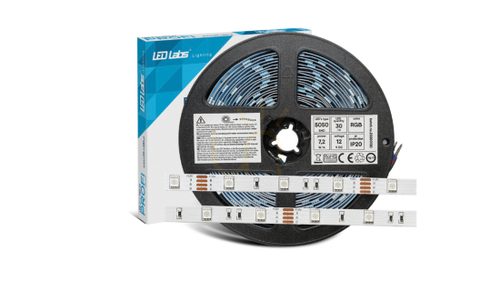
Partly because it looks good on camera and in photos of a setup, and partly because it is easy to change: one remote or app switches a room from calm blue to a full colour cycle. Some strips are addressable, so different sections can show different colours at once, and some can follow the colours on screen through a camera, an HDMI box or a phone app. Sound-reactive modes pulse along with music or in-game audio.
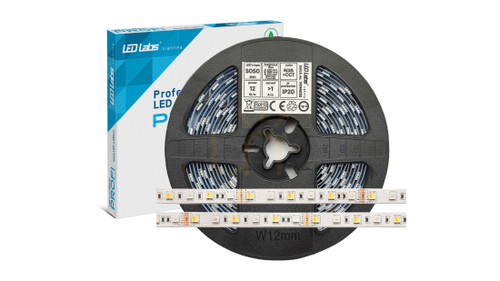
RGB is still accent lighting. Red, green and blue chips mixed together give a slightly bluish white, so if a fitting is your only light, look for RGBW (with a separate white chip) or a ceiling light with a proper white mode.
Gaming lights for the wall, ceiling and desk
Ceiling: keep the main light off the line between you and the screen. A fitting directly behind your chair reflects straight into the middle of the monitor; one above or beside the desk does not. A diffused cover avoids bright points in the glass.
Wall: indirect light looks calmest. Hide a strip on top of a wardrobe, behind a shelf or along the ceiling line. Hexagon panels and neon-style signs are meant to be seen, so put them on the wall behind you if you stream, or opposite the desk, not right next to the monitor where they pull your eye.
Desk: a strip under the front edge throws soft light towards the floor, and a shaded lamp handles the keyboard. Tie cables together and run them under the desktop so nothing catches your feet in the half-light.
Fitting, renting and care
- Plug-in and USB-powered lamps need no electrician. A hard-wired ceiling or wall light is different: in the UK that work should be done by a qualified electrician to BS 7671.
- If you rent, adhesive strips can lift paint when removed. Clip-in channels, strips stuck to the back of furniture or a floor lamp in the corner leave no marks.
- Coloured bias lighting behind an OLED screen changes how blacks look. Stick to neutral white there.
- Cheap drivers may flicker, which often only shows up on a webcam as rolling bands.
- Dust on channels and shades dims the light. A dry cloth with the power off is enough.
FAQ
What are some cool lights for gaming?
Wall panels that change colour, light bars either side of the monitor, a corner floor lamp that washes the wall with colour, or a neon-style sign behind your chair. They look best on top of a sensible base of room light and bias lighting.
What are some good LED gaming lights for a small bedroom?
A dimmable ceiling light with a colour mode, plus a short USB strip behind the monitor. That pairing handles homework, sleep and late gaming without filling the walls with fittings.
Is it bad to game in the dark?
A bright screen in a completely dark room makes your eyes work harder. A little dimmed room light or a soft glow behind the display makes long sessions more comfortable.
What colour temperature is best for gaming?
Warm to neutral white, about 2700–3000 K, for evening room light and up to 4000 K for focused work. Behind the screen, neutral white near 6500 K matches the display’s own white.
Which gaming lights suit a wall?
For a calm wash, a strip hidden along the top of a wardrobe or the ceiling line. For a feature, hexagon panels, a pair of light bars or a neon-style sign, ideally on a wall the camera or your guests see rather than beside the monitor. Adhesive mounting pads can pull paint off fresh or matt emulsion, so on a rented wall use clips, hooks or the back of a shelf instead.
Can I put gaming lights behind a TV?
Yes. Keep them dim and neutral white for film and dark games, and save colour effects for when you want a show.
For more on colour control, remotes and pairing several fittings, read about RGB LED lights. More on lighting the rest of the house: indoor lights.