
Zigbee, Wi-Fi, Bluetooth or Casambi? How to choose a lighting control system
“Zigbee or Wi-Fi?” is where most smart home lighting plans begin, although the more important questions are how many lights you want to control, whether you can change the wiring and what should still work when the internet goes down. Typically, a few lights can run on Wi-Fi or Bluetooth with no hub at all, a whole flat is conveniently tied together by a Zigbee network with one hub, designer luminaires and commercial premises are often controlled with Casambi, and when building a house or fitting out an office it is worth considering wired DALI or KNX. We explain the differences – hub, range, router load, working without the cloud, the Tuya, Philips Hue, Google and Alexa ecosystems – and suggest which system suits your situation.

Table of contents
- Short answer: Zigbee or Wi-Fi, and when to choose something else
- Hub, cloud and local control – what still works when something fails
- Wi-Fi – the simplest start without a hub
- Zigbee – a mesh network with a hub
- Bluetooth and Bluetooth Mesh – no hub, within phone range
- Casambi – hub-free control for designer luminaires and commercial spaces
- Matter and Thread – a common language instead of yet another app
- The systems compared in one table
- Ecosystems: Tuya/Smart Life, Philips Hue, Google, Alexa, Apple
- Wired systems: DALI, DALI-2, D4i and KNX
- No app needed: EnOcean, radio remotes, dimmers and 1–10 V
- Which system for which situation?
- Where to start: smart bulb, app-controlled light or LED strip controller
- Wall switch, neutral wire and dimmer – installation pitfalls
- How to check the system on a product page
- Frequently asked questions
- Summary
Short answer: Zigbee or Wi-Fi, and when to choose something else
Zigbee or Wi-Fi? Wi-Fi is the easier start: the device connects to your router and needs no hub, so a few bulbs or a ceiling light controlled from your phone are up and running in fifteen minutes. Zigbee needs a hub, but one hub handles dozens of devices, puts no load on the router and works better with battery-powered sensors and buttons. The more light points and automations you plan, the stronger the case for Zigbee.
The other systems make sense in specific situations:
- Bluetooth – a few lights from one brand, without a hub or internet, controlled from nearby.
- Casambi – designer luminaires, track systems and commercial spaces where hub-free control without chasing walls matters.
- DALI and KNX – new house, full renovation, office: wired, with the decision made before plastering.
- Matter – not a separate system but a common language that lets one device work in several apps at once.
Hub, cloud and local control – what still works when something fails
A hub (also called a gateway or bridge) connects a Zigbee, Bluetooth or DALI lighting network to your home network and app, and often runs schedules too. Wi-Fi devices do not need one because they connect straight to the router. The cloud is the manufacturer’s server, which relays commands from the app when you are away and from voice assistants. Local control means commands and automations are carried out at home, without that server.
Before you build switches into the walls, run a simple failure test and check what still works when:
- the internet is down – buttons, sensors, schedules, the app on your home network?
- the router is off – do the lights respond to anything other than the wall switch?
- the hub is off – do buttons paired directly with the lights still work?
- your phone is away from home – do other household members have a remote, a button or their own access to the app?
- the power goes off – in what state do the lights come back: off, on or at their last setting? Many systems let you set this, but not all.
If basic switching needs the cloud, an internet outage or the manufacturer ending the service leaves you with nothing but the wall switch. Ideally, the cloud should only be used for control from outside the home.
Wi-Fi – the simplest start without a hub
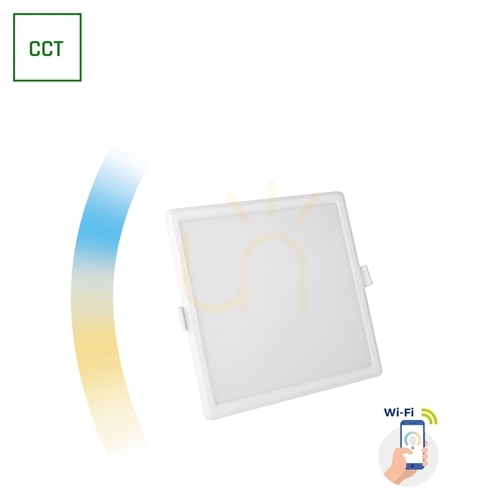
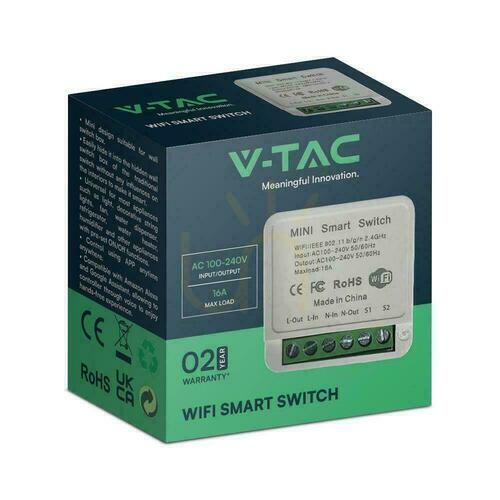
A Wi-Fi device connects directly to your home router: you screw in the bulb, add it in the app and control it from your phone – usually also from outside the home, via the manufacturer’s cloud. That is why most inexpensive smart bulbs, plugs and ceiling lights use Wi-Fi. Whether it is enough for a whole home depends mainly on your home network:
- Router load. Every Wi-Fi bulb is a separate device on the network, just like a phone or a TV. Bandwidth is not the issue – lights send tiny amounts of data – but the number of connections is: basic routers supplied by internet providers can start dropping devices at a few dozen clients, and twenty bulbs, ten plugs and your home electronics quickly add up to more than 50 devices. A capable router or a mesh Wi-Fi system will cope, but this needs planning. The typical symptom of overload: lights randomly showing as “offline”.
- The 2.4 GHz band. Most smart devices only work in this band. If your router broadcasts 2.4 and 5 GHz under one network name, pairing can be tricky – temporarily separating the bands helps.
- Batteries. A Wi-Fi radio uses a fair amount of energy, so battery-powered sensors and buttons are more common in Zigbee or Bluetooth.
- Cloud. On popular platforms (e.g. Tuya/Smart Life) the app and automations for Wi-Fi devices usually go through the manufacturer’s server. Exceptions – locally controlled or Matter-compatible devices – need to be checked in the description of the specific model.
So Wi-Fi is a convenient choice for a few points: a night light, a bedroom ceiling light, an LED strip behind the TV, a smart E27 lamp holder. With dozens of points and many sensors, a network with a hub is usually more convenient.





Zigbee – a mesh network with a hub
Zigbee is a radio standard designed for automation: low power, small data packets and a mesh network. In home lighting it uses the same 2.4 GHz band as Wi-Fi, but the lights do not connect to the router – the network is managed by a hub containing the Zigbee coordinator, and only the hub is connected to your home network. In practice this means:
- a hub is required, but one is enough for dozens of devices – the Zigbee 3.0 hub in our range, for example, accepts up to 50 devices, and to the router it is a single client. The coordinator can also be a Philips Hue Bridge, some Amazon Echo speakers with a built-in Zigbee hub or a controller such as Home Assistant;
- mains-powered devices build the range – most Zigbee bulbs, luminaires, in-wall modules and plugs pass the signal on (not all of them, so check the description), while battery devices only send and receive. A network made only of battery sensors has the range of a single “hop” – indoors, roughly a dozen metres or so; a few well-placed mains devices extend it;
- buttons and sensors last a long time on a battery – typically from one to several years, depending on the model and how often they are used;
- local operation depends on the hub – devices talk to the hub without the internet, but a rule such as “motion in the hallway → light at 30%” only works during an outage if the hub runs it rather than the cloud. The Hue Bridge and controllers like Home Assistant do this locally; many cheap cloud hubs do not;
- cross-brand compatibility must be checked – the Zigbee 3.0 label improves the chance that a light from one brand will pair with another brand’s hub, but does not guarantee it, and a paired light may lose some functions, such as colour adjustment or firmware updates. Check the hub’s compatibility list, and ideally choose the hub and lights from one ecosystem.
Zigbee and Wi-Fi share the 2.4 GHz band. If Zigbee devices keep “disappearing”, overlapping channels are a common cause – changing the Wi-Fi channel on the router or the Zigbee channel on the hub, if it allows that, helps.
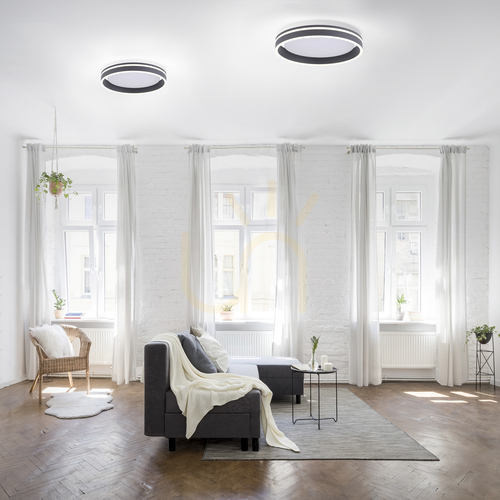
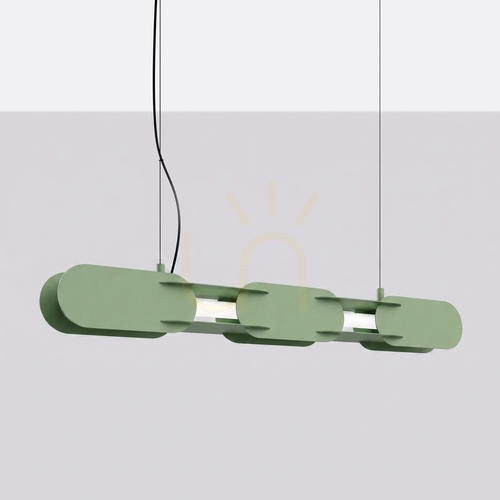
A good example of the “light first, smart home later” approach is the Paul Neuhaus Q series in the photo above: the luminaires come with a remote, and thanks to Zigbee they can join a network later. Zigbee lights, magnetic track fittings and control panels can be found in our Smart home lamps category.



Bluetooth and Bluetooth Mesh – no hub, within phone range
The simplest version is point-to-point Bluetooth: the phone connects directly to the light, with no router and no hub. It works without the internet, but only within phone range – in a flat, usually within one or two rooms.
Bluetooth Mesh (a Bluetooth SIG standard from 2017) extends that range: devices acting as relays pass commands on, and the configuration stays in the network, so buttons and sensors control the lights even with no phone nearby. Mesh alone does not provide control from outside the home – that needs a bridge. Examples from our range:
- Nordlux Smart – according to the manufacturer, the lights and bulbs connect via Bluetooth Mesh without a hub, and an optional bridge adds schedules, remote control from outside the home, presence simulation and compatibility with Amazon Alexa and Google Home. A good place to start: a kit of two E27 bulbs with a bridge.
- Steinel – outdoor lights and sensors with Bluetooth Mesh are set up in an app instead of with dials, and the sensors form groups: motion detected by one also switches on the light at the neighbouring ones. There is also the battery-free PB4 push button – the press itself generates the energy to send the signal, and the manufacturer states a range of up to 30 m.
The standard defines common device models, but consumer systems in practice are locked into the manufacturers’ apps: you cannot add a Nordlux light to the Steinel app or vice versa. Bluetooth Mesh is a shared foundation, not a shared app.
Casambi – hub-free control for designer luminaires and commercial spaces
Casambi is a Finnish lighting control system based on Bluetooth Low Energy and its own mesh network – it is not simply standard Bluetooth Mesh. It reaches an installation in two ways: built into the luminaire or driver by the lighting manufacturer (labelled “Casambi Ready” and found mainly in designer luminaires, track systems and technical fittings), or as a separate module installed between the power supply and the luminaire – for example for phase dimming or for controlling DALI or 1–10 V drivers – complemented by wireless push buttons. Installing 230 V modules is a job for an electrician.
Advantages:
- No hub and no internet. Groups, scenes, dimming, colour temperature, buttons and sensors are set up in the Casambi app. The configuration is stored in the devices, so afterwards the lights are operated by buttons and sensors and the phone does not need to be nearby.
- Mesh across the whole building. Powered Casambi devices pass the signal on, so with sensible placement the range grows with the installation – from a living room to a restaurant dining room.
- Many brands in one network. Casambi is a shared platform used by hundreds of manufacturers, so one company’s pendant and another company’s track spotlights can work together. The range of functions depends on the specific devices, so a larger installation is worth discussing with the supplier.
Limitations:
- The Casambi version is chosen when ordering. With many manufacturers it is a separate luminaire variant with its own catalogue code – an ON/OFF version will not become a Casambi light after an app update.
- It is a lighting system, not a smart home platform. Control from outside the home requires an additional device acting as a gateway, and working with voice assistants or a home controller requires additional solutions. If “Alexa, turn off the light” matters to you, check this before buying.
- Equipment and set-up costs are usually higher than for simple Wi-Fi bulbs, and a larger installation requires planning groups and scenes.
Casambi makes sense when the designer luminaires or track system you have chosen are available in this version, when you are fitting out premises where staff switch scenes without access to a home Wi-Fi network, or when you want control without a hub, the cloud or chasing walls. One example is the Slamp La Traviata pendant in its Casambi version, and in track systems – adapters with a Casambi module for three-circuit tracks. For a single bulb in an ordinary lamp, Casambi is overkill.



Matter and Thread – a common language instead of yet another app
Matter is a standard from the Connectivity Standards Alliance (the organisation that also develops Zigbee), released at the end of 2022 and backed by Apple, Google, Amazon and Samsung. It is not another radio but a common language for devices: it runs over Wi-Fi, Ethernet or Thread, and Bluetooth is used only for initial set-up. Three features matter for buyers:
- local control – basic commands do not need the cloud;
- several apps at once – the same light can be in Apple Home, Google Home and Alexa at the same time, provided each platform supports that device type; special features often remain available only in the manufacturer’s app;
- bridges – some hubs, including the Philips Hue Bridge, expose the basic functions of their Zigbee lights to Matter, so you do not have to replace your equipment.
Thread is an energy-efficient, IPv6-based mesh network that is independent of Matter but used by it. It uses the same IEEE 802.15.4 radio as Zigbee, yet the two systems are not compatible. Connecting a Thread network to your home network requires a Thread Border Router – a role performed by some Apple, Google and Amazon speakers and media hubs – and a Matter controller, often in the same device.
To be fair: in lighting, Matter is still young, and devices carrying its logo make up a small part of the market – including our range. The Matter logo is a good sign, but its absence does not rule out a Zigbee light that can join Matter through a bridge – provided the bridge supports Matter and that particular light.
The systems compared in one table
| System | Hub | Local operation without internet | Router load | Best for |
|---|---|---|---|---|
| Wi-Fi | no | depends on manufacturer | each device separately | a few lights, a first step |
| Zigbee | yes | depends on hub | hub only | a whole flat or house |
| Bluetooth Mesh | no (bridge optional) | yes | none or bridge | lights from one brand |
| Casambi | no (gateway for remote access) | yes | none or gateway | designer luminaires, commercial spaces |
| Matter over Thread | border router and controller | yes | border router | new smart devices |
| DALI | bus power supply and controller | yes | none or gateway | new installations, offices |
| KNX | bus power supply, programming | yes | none or IP gateway | whole-building automation |
“Yes” in the local operation column refers to configured buttons, sensors and automations – not to control from outside the home or voice assistants.
Ecosystems: Tuya/Smart Life, Philips Hue, Google, Alexa, Apple
The protocol is one thing; the app you use every day to control your lights is another.
- Tuya / Smart Life – a platform on which hundreds of brands build devices under their own names. Many of them work with the Tuya Smart and Smart Life apps, so a bulb from one brand and a controller from another can end up in the same dashboard – although some manufacturers lock their hardware into their own app. Wi-Fi connects directly, Zigbee via a Tuya hub, and Alexa and Google Home work with Tuya via the cloud. In our range, products that work with Tuya/Smart Life include V-TAC Smart devices, Max Light Zigbee fittings, the Cobalt Electro hub and the RENDL VEGA and WAVE track systems. Plus: huge choice and low prices. Minus: dependence on the cloud.
- Philips Hue – a Zigbee system with the Hue Bridge, which runs automations locally and exposes the lights to Matter. Newer Hue bulbs also have Bluetooth for controlling a few lights without the bridge. Some Zigbee lights from other brands can be added to the bridge, but full support is not guaranteed. Watch the names: RENDL HUE fittings in our shop are a series of recessed downlights, not Philips Hue.
- Google Home, Amazon Alexa, Apple Home – these are not protocols but “remote controls” sitting on top of them. Google and Alexa connect to most systems via the manufacturer’s cloud or locally via Matter. Apple Home supports devices certified for HomeKit or Matter – directly or through a certified bridge – so ordinary Tuya Wi-Fi devices usually will not work with it.
A practical rule: choose one base ecosystem – the app where all your lights will live – and treat the voice assistant and Matter as a way to bring in the rest. Five apps from five manufacturers mean five places where you have to set schedules.
Wired systems: DALI, DALI-2, D4i and KNX
Radio systems are added to a finished home; wired systems are planned together with the electrical installation – ideally before plastering.
DALI (Digital Addressable Lighting Interface, standard IEC 62386) is a two-wire bus dedicated to lighting control. One line supports up to 64 driver addresses, and each driver can belong to 16 groups and store 16 scenes. Luminaires can be dimmed individually or in groups, their status and faults can be read, and the grouping can be changed in software, without rewiring. DALI control wires are often run in the same cable as the mains supply – whether that is permissible in a given installation is decided by the designer or electrician, based on the cable insulation and the device instructions.
- DALI-2 is a certification programme based on IEC 62386 that also covers push buttons, sensors and controllers – so equipment from different manufacturers works together better.
- D4i standardises data in the luminaire (energy use, operating hours, faults) and the power supply for a sensor or module mounted on the luminaire. On its own it provides no wireless connectivity or phone control; it is mainly useful in offices and commercial lighting.
- Dimming with an ordinary push button. Some DALI drivers have an additional manufacturer function (Push-DIMM, Touch DIM or similar): a short press switches on and off, holding dims. This is a different way of connecting than the DALI bus – the wiring must follow the driver’s instructions and be done by an electrician.
- Broadcast mode controls all luminaires on the line without addressing – all you need is a DALI controller and a bus power supply, which are sometimes a single device.
DALI can also be connected to an app via a gateway – in our range, for example, Spectrum’s Tuya–DALI gateway.



KNX (standards ISO/IEC 14543-3 and EN 50090) is a building automation standard: lighting, blinds, heating, ventilation and metering, with the option of integrating an alarm system. In the most common wired version (KNX TP) devices are connected by a green 30 V bus cable that powers the electronics of buttons and sensors, but not the lights; lighting actuators are usually mounted in the distribution board. There are also radio (KNX RF) and IP versions. The logic is distributed across the devices, so the system does not depend on one central controller. The installation is programmed by an integrator in the ETS software, and DALI luminaires are connected to KNX through KNX–DALI gateways.
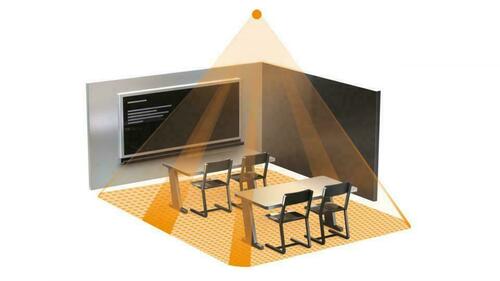
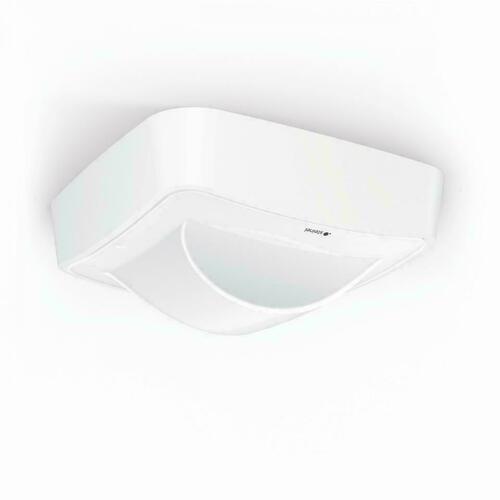
In our range, KNX mainly means Steinel presence and light sensors, powered from the bus and measuring brightness – for example the IR Quattro HD-2 KNX ceiling sensor. Correctly positioned and calibrated, they help maintain the illuminance on the task area required by EN 12464-1 (500 lx for writing, reading and computer work) and switch off the lights in empty rooms, although on their own they do not make the lighting compliant with the standard. More models can be found in our Motion Sensors category.



KNX makes sense in a new house or a full renovation, when the lighting is to work with the rest of the building, and in commercial buildings. In a rented flat or for a few smart lights it is out of proportion to the need.
No app needed: EnOcean, radio remotes, dimmers and 1–10 V
If all you need is dimming from one place or a remote for an LED strip, an app is not necessary:
- EnOcean and battery-free switches. EnOcean modules harvest energy from the press (sensors, for example, from light), so a switch can be screwed or stuck to a wall with no wiring and no batteries. In Europe the classic EnOcean protocol uses the 868 MHz band; there are also EnOcean switches in Zigbee versions (popular in the Philips Hue system) and Bluetooth versions. The versions are not interchangeable – the switch must match the receiver. In homes EnOcean usually complements another system; in commercial buildings it can be the basis of the whole installation. The Steinel PB4 button mentioned above works on a similar principle.
- 2.4 GHz radio remotes for LED strips and lights (e.g. MiBoxer, Mi-Light) – the remote pairs with a receiver without an app or internet. Cheap and reliable, but within one manufacturer’s closed world; some receivers can be extended with app control via Wi-Fi.
- Phase dimmers, often sold as “triac dimmers”, regulate brightness by cutting off part of each half-cycle of the mains voltage. A “dimmable” label is not enough, because it may refer to DALI or 1–10 V – look for information on phase dimming (e.g. “TRIAC”) and the manufacturer’s dimmer recommendations. For LEDs, trailing-edge dimmers are usually recommended. Also check the load range: the total wattage of a few LED lamps may be lower than the dimmer’s minimum load. Models for LEDs can be found in our Dimmer switches category.
- 1–10 V and 0–10 V – analogue control of technical luminaires (warehouses, offices, street lighting) over a separate pair of wires, without addressing. With the 1–10 V standard, the minimum level does not mean off, so a relay or switch is needed to turn the lights off; behaviour with 0–10 V depends on the driver and controller. They are rarely found in homes.
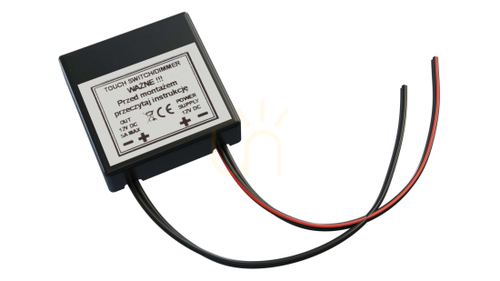
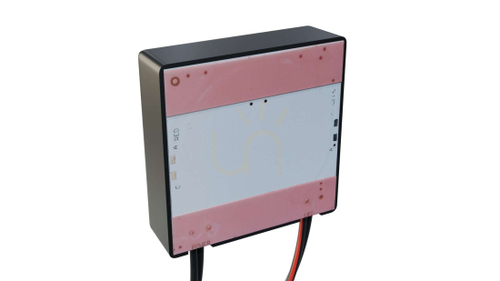
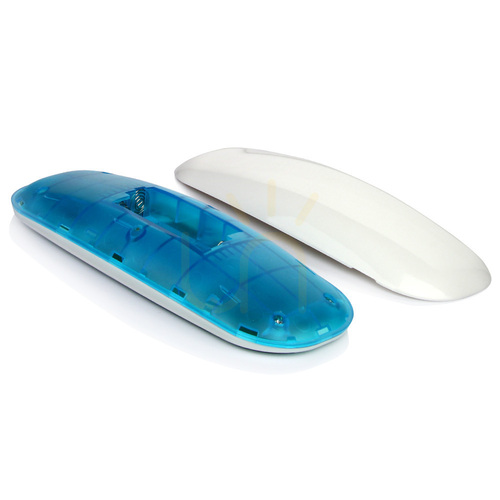
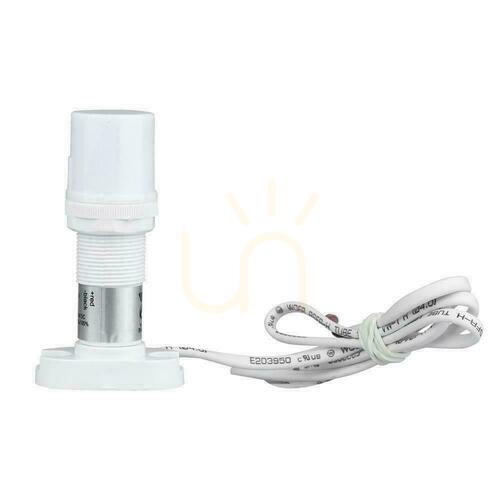
- Switches and dimmers for 12/24 V LED strips – touch, touchless and under-cabinet, dimming with a PWM signal. Under kitchen cabinets they are often more convenient than a phone. You will find them in our Light switches and LED drivers categories.





Which system for which situation?
Rented flat. Changes to the wiring need the landlord’s consent, and you take everything with you when you move. Choose smart bulbs (Wi-Fi or Bluetooth), smart E27 lamp holders and lights with a remote; leave the wall switch permanently on and add a stick-on wireless button next to it. A Zigbee starter kit works well too – you take the hub along with the bulbs. In-wall modules only with the landlord’s consent and fitted by an electrician. DALI and KNX make no sense here, and Casambi only in a lamp you will take with you.
One room to start with. For a few points, Wi-Fi or Bluetooth are entirely sufficient. If you know you will add more rooms and sensors, consider Zigbee with one hub straight away – switching from Wi-Fi to Zigbee later usually means replacing the devices.
A whole flat or house being renovated without new wiring. In many installations Zigbee is the practical choice: one hub, lights and in-wall modules acting as network routers, battery-powered sensors and buttons, automations running locally. The alternative is Casambi, if most of the luminaires – especially designer and track fittings – are available in that version and full integration with the rest of the smart home is not important to you. Well-planned, locally controlled Wi-Fi can also work, but it needs a capable network.
New house or full renovation. This is the most convenient and usually cheapest moment to decide on wiring. Discuss with the designer or electrician a neutral wire N in switch boxes, deeper boxes for modules and dividing circuits into zones – this helps with any system. If you want to dim and group lights without relying on radio, plan DALI for the key luminaires (living room, kitchen, hallway). If the lighting is to work with blinds and heating, and the budget allows, choose KNX with an integrator. You can add a radio layer (Zigbee, Matter) later wherever a cable is missing.
Small shop, office, practice or restaurant. What counts is reliability and who owns the system: the administrator account, access details and configuration documentation should belong to the business, not to an employee’s or installer’s private phone – this applies to Casambi networks, KNX projects and Wi-Fi apps alike. Good options are Casambi (no wall chasing, “opening – evening – cleaning” scenes, works without internet) or DALI-2 with presence and daylight sensors; in a larger building, KNX. Consumer Wi-Fi devices on a private account risk nobody being able to change the settings once that employee leaves.
Garden and façade. Here dusk and time-based automation come first and the app is an extra. We cover the details in our guide to outdoor lighting control, and motion sensors in the post on motion sensor lights.
Where to start: smart bulb, app-controlled light or LED strip controller
- Smart bulb (E27, E14, GU10) – the cheapest way in: you keep your favourite lamp and replace only the light source, and if something fails, only the bulb. Check whether the bulb manufacturer allows use in an enclosed shade (smart electronics do not like overheating) and that the lamp is not connected to a conventional dimmer.
- App-controlled light – a ceiling light, panel or pendant with control built into the luminaire. Compare luminous flux, light distribution, glare, CRI and colour temperature range, not just the smart features, and ask whether the driver and control module can be replaced. A remote is a bonus – household members without the app will not be left in the dark.
- LED strip controller – fitted between the power supply and the strip. Match it to the strip type (single colour, CCT, RGB, RGBW; addressable strips need different controllers from standard PWM strips), its voltage, the current per channel and the total power. It is the simplest route to decorative and under-cabinet lighting controlled from your phone. Controllers can be found in our LED drivers category.
We have also shown some ready-made smart lights in our round-up of smart lamps.


Wall switch, neutral wire and dimmer – installation pitfalls
General rule: all work on the 230 V installation – fitting or replacing luminaires, switches, dimmers, in-wall modules and drivers – must be carried out by a qualified electrician.
The most common disappointment with smart lighting is caused not by the protocol but by the switch on the wall. A smart bulb needs a constant power supply: switched off at the wall, it disappears from the app, cannot run its schedule and, in a Zigbee or Bluetooth Mesh network, stops passing the signal on to other devices. There are three solutions:
- Leave the switch in the “on” position and add a wireless button next to it – battery-powered or battery-free, stuck or screwed to the wall. The simplest option and fully reversible. If the old switch is to be removed or bridged, that is a job for an electrician.
- An in-wall module behind the existing switch – the light stays ordinary and the circuit becomes smart. Many modules need a neutral wire (N) in the back box, and in older installations switch boxes often do not have one. Versions without N exist, but with small LED loads they can cause a switched-off light to glow or flicker; any compensator must be one recommended by the module manufacturer. The module also needs space in the box and must be matched to the type and power of the load – for LEDs, manufacturers usually give a separate, lower limit than for conventional bulbs.
- A smart switch in place of the old one – with buttons, a touch panel or a rotary knob.
The second pitfall is the dimmer. Smart bulbs and lights that regulate their own brightness and need a constant voltage should not run behind a conventional phase dimmer unless the manufacturer explicitly allows it – the result can be flickering, buzzing or even damaged electronics. If there is an old dimmer in the circuit, have an electrician replace it with an ordinary switch or a module compatible with your system, and replace the knob with a wireless dimmer from the same system. This is different from a smart dimmer module, which controls ordinary dimmable lights.
How to check the system on a product page
Before you add a light to your basket, look in the name, description or specifications for:
- the protocol – Wi-Fi (2.4 GHz), Zigbee (ideally 3.0), Bluetooth or Bluetooth Mesh, Casambi, DALI or DALI-2, KNX, Matter;
- the hub – whether one is needed, which one and its device limit;
- the app – Tuya / Smart Life, Nordlux Smart, Casambi or the manufacturer’s own app – and whether you already have other devices in it;
- voice assistants – Alexa, Google Home, Apple Home (with HomeKit or Matter);
- the control range – dimming only (DIM), white colour temperature adjustment (CCT, e.g. 2700–6500 K) or colours (RGB, RGBW, RGB+CCT);
- dimming quality – the lowest level, smoothness, no flicker or buzzing, especially in the bedroom;
- behaviour after a power cut – whether you can set the state the light returns to;
- a remote included – for household members without the app;
- for modules and controllers – whether they need a neutral wire, maximum LED load, minimum load, strip voltage (12, 24 or 48 V) and current per channel.
If this information is missing, ask before you buy – the word “smart” in the name is not enough to plan a system.
Frequently asked questions
Zigbee or Wi-Fi – which is better for home lighting? Wi-Fi is easier to start with and needs no hub. Zigbee needs a hub, but copes better with dozens of devices, puts no load on the router and works well with battery-powered sensors and buttons. For a few lights convenience decides; for a whole home Zigbee more often wins.
Does smart lighting work without the internet? It depends on the system. Bluetooth Mesh, Casambi, DALI and KNX work locally by design, as do Matter’s basic functions. Zigbee does if the hub runs automations locally. Wi-Fi devices from cloud platforms usually lose app control without the internet; you are left with the switch or a remote.
Can I combine Tuya, Philips Hue and other brands? At app level, often yes – via Google Home, Alexa or Matter. At network level, only within one protocol and with caveats: a Zigbee light from one brand may pair with another brand’s hub, but not always with all its functions.
What happens if I switch a smart bulb off at the wall? It loses power and connection, and when switched back on it returns to its last or default setting – depending on the model and configuration. In the meantime app control and schedules do not work.
Does Casambi need a hub and the internet? Not for day-to-day operation: the devices, buttons and sensors form their own network, and the app is used for set-up and operation. A gateway is needed for control from outside the building and for some integrations.
How much power does a smart bulb use when it is off? Not much, but not zero – the electronics are constantly listening for commands. EU Ecodesign Regulation 2019/2020 on light sources limits the networked standby power of a connected light source to 0.5 W. That is an upper limit, not a typical value: 0.5 W for a whole year is about 4.4 kWh per light source, and hubs and bridges have their own consumption.
Should I buy now or wait for Matter? Buy now, but wisely: choose a system with a path to Matter (e.g. a hub or bridge that supports it) or one that works locally regardless. A Zigbee light bought today can join Matter through a bridge, but only one that supports Matter and that particular model – Zigbee compatibility alone does not guarantee it.
Summary
Choosing a control system starts with scale and wiring, not with the logo on the box. Wi-Fi and Bluetooth suit a few lights without a hub, Zigbee a whole flat or house with one hub and one ecosystem, Casambi designer luminaires, track systems and commercial spaces, and DALI and KNX a new installation planned before plastering. Whatever you choose, solve the wall switch problem, check what still works when the internet goes down, and leave 230 V work to an electrician. Lights and accessories for each of these scenarios can be found in our Smart home lamps category.
Przemysław Doliński


Maybe you will be interested in products from these categories?
Smart Home, LED drivers, Dimmer switches, Light switches, Motion Sensors
Tags & Blog Categories